What to Photograph in an Office So Your Website Looks Real, Not Stock
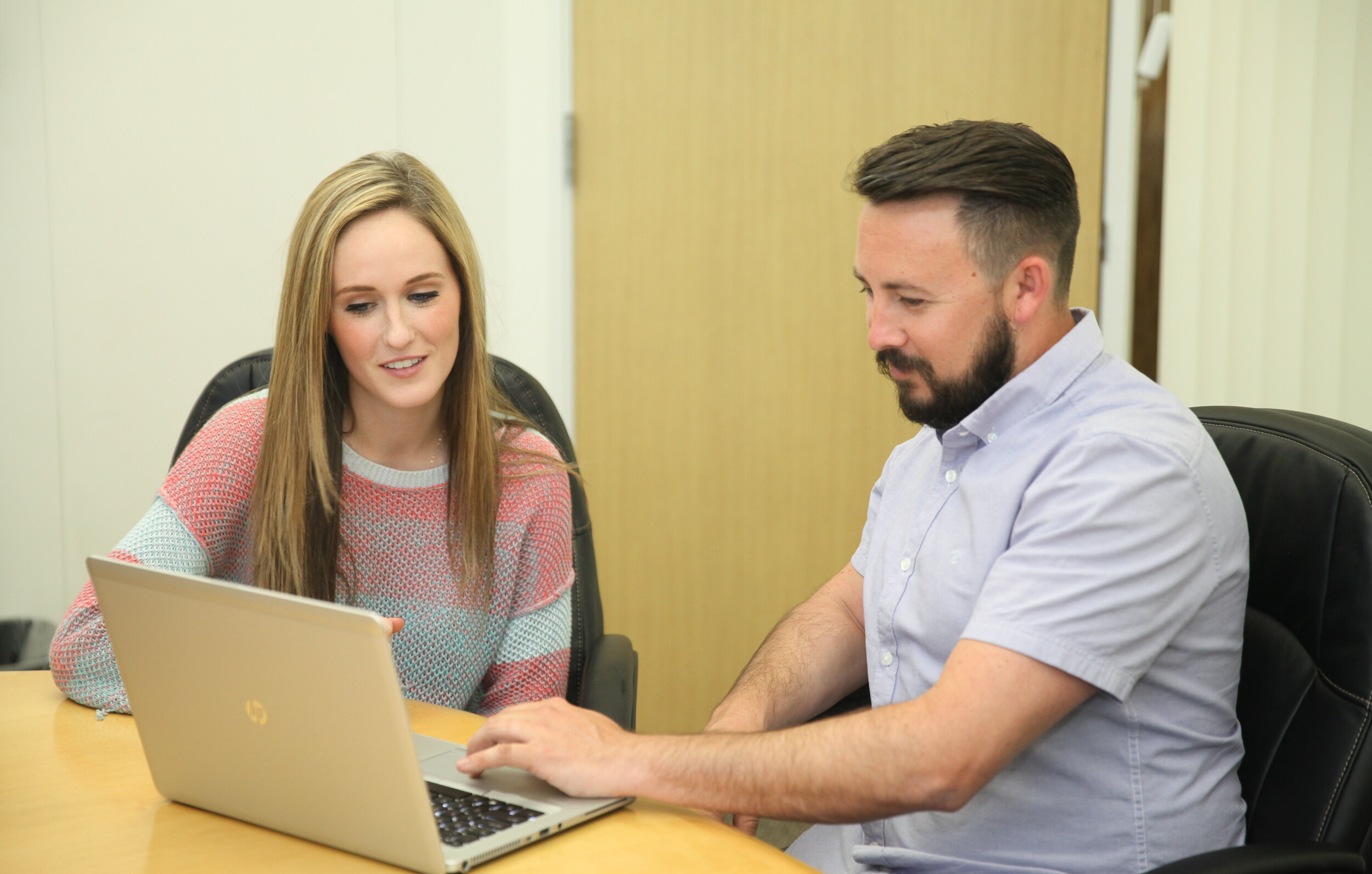
A website looks “real” when visitors can quickly picture the people behind the work. That does not require a huge production day or forced poses. It comes from photographing your team in a way that feels believable, showing the spaces where work actually happens, and capturing small details that signal credibility.
In this blog, we are going to study how to plan office photography that replaces generic stock images with visuals that feel specific to your company, while still looking polished and professional. You will also see where these images get used most, including About pages, service pages, recruiting pages, and proposals. If you are scheduling Corporate Headshots San Francisco alongside office coverage, the smartest approach is to treat the shoot as one visual system, not separate tasks.
Start With Website Priorities
Before a camera comes out, decide what your site needs to communicate in the first 10 seconds. Most offices do not need “more photos.” They need the right categories of photos so pages feel complete, consistent, and trustworthy.
A practical list of high-impact website placements:
Home page hero or banner images that feel alive
About page team photos that show real people
Service page visuals that match what you actually deliver
Recruiting images that show culture without being staged
A real example: a professional services firm swapped three stock photos on service pages for real photos of their team in meetings, reviewing plans, and working at whiteboards. Time-on-page improved because visitors felt like they understood the company faster. If Professional Headshots San Francisco are part of the plan, align clothing and color tones so headshots and office photos look like the same brand story.
Capture People Doing Work

People trust people. The most useful office photos are not “everyone smiling at the camera.” They are moments that look like work, but still photograph cleanly.
Strong “real work” shots usually include:
Two to four people collaborating at a table
A leader listening, not performing
Hands-on moments like reviewing material, testing, or presenting
Friendly hallway conversations that look natural
One practical tip: have someone talk through a real agenda item for two minutes while photos are captured. The expressions are better because attention is on the conversation, not the camera. This is where Corporate Headshots Bay Area sessions pair well with office photography, because the same calm coaching that helps headshots can keep candid moments relaxed and believable.
Show Spaces With Context
Office photos feel stock when they look like any generic building. The fix is context. That means showing how your space is used, not just what it looks like.
Capture a mix of:
Wide shots that show layout and light
Mid shots that show meeting rooms in use
One or two clean desk-area shots that feel organized
Reception or entry visuals that signal professionalism
A real example: a tech team photographed an empty conference room and it looked bland. The next frame showed a short working session with laptops and a whiteboard behind them, and suddenly the room felt purposeful and alive. If you are already booking Corporate Headshots San Francisco, scheduling space photos in the same lighting window helps the whole site feel consistent instead of stitched together.
Build Trust With Details

Details are what make office photography feel “yours.” They should not dominate the gallery, but a few well-chosen frames add credibility and texture.
Useful details often include:
Branded elements like signage, awards, or product displays
A clean workstation moment that shows what work looks like
Tools of the trade, such as equipment, screens, or materials
Client-ready touches like a tidy meeting setup
One subtle win is photographing hands interacting with real objects: a marker on a board, a device being tested, a document being reviewed. These shots support service pages and proposals because they make claims feel grounded. A helpful way to think about office culture photography for company websites is that it should show competence and warmth at the same time, without trying too hard.
How Do You Stage?
Staging does not mean fake. It means removing distractions so real moments photograph well. Most offices only need small adjustments.
Quick staging choices that keep things natural:
Clear clutter from the most visible surfaces
Hide loose cables, open bins, and random personal items
Keep one “hero” meeting space camera-ready
Use simple movement prompts like “walk and talk”
A real example: a team insisted they needed “perfect desks,” then realized only one clean corner and one meeting room were required to cover the website. The rest of the shoot focused on people and interaction, which made the images feel more human. When Professional Headshots San Francisco are happening the same day, use that same simplicity: fewer “sets,” more real moments with clean backgrounds.
Plan A Smooth Shoot

Most office shoots fall apart when timing is unclear. A simple plan keeps it calm, short, and productive for everyone involved.
A realistic flow:
Start with headshots first, while energy is fresh
Move into small-group collaboration shots
Capture space photos during a quieter hallway moment
Finish with detail shots and a quick leadership group
If the goal includes recruiting content, plan a few frames that speak to culture without forcing it, like teams in conversation, mentorship moments, and collaborative work. How to plan an office photoshoot for recruiting pages usually comes down to one idea: show the kinds of interactions a candidate hopes to have, not staged high-fives. That approach keeps the images useful on both the careers page and LinkedIn posts.
Make The Site Feel Yours
A real-looking website gallery does not come from random shots. It comes from a clear mix: people doing real work, spaces shown with purpose, and details that prove the company is legitimate. When those pieces fit together, visitors stop feeling like they are looking at a template site and start feeling like they are meeting a real team. If you are scheduling Corporate Headshots Bay Area or Corporate Headshots San Francisco, pairing headshots with office coverage in one coordinated plan is often the easiest way to get a cohesive visual brand quickly.
And at Slava Blazer Photography, our team arranges office shoots with a calm, structured process that respects work schedules while still capturing polished, human images. We guide headshots efficiently, then capture natural collaboration and clean space shots that fit your website, recruiting pages, and client-facing materials. If you want office photography that looks real, consistent, and ready to publish, reach out for a quick quote and a simple shoot plan.
Frequently Asked Questions
How many office photos should a website have?
Most business websites do well with 20 to 40 strong images that can be rotated across pages. A useful set usually includes leadership and team photos, a few collaboration scenes, two to four space shots, and several detail images. The goal is coverage that supports multiple pages without repeating the same frame everywhere. A smaller, more intentional library often performs better than a huge gallery that feels inconsistent.Should office photos look candid or posed?
A mix works best. Lightly directed candid-style photos feel more believable, while a few clean posed images are useful for team pages and leadership sections. The key is keeping posed moments simple and professional, then letting people interact naturally for the rest. Most viewers respond better when the photos look like real work moments, not staged “stock-style” smiles.What should employees wear for office website photos?
Clothing should match the company’s real day-to-day level of professionalism, just slightly more polished. Solid colors and simple layers usually photograph well and keep attention on faces. Avoid loud patterns and large logos that distract on small screens. If multiple people are being photographed, coordinating a loose color palette helps the site look consistent without making everyone dress the same.How long does a typical office photo session take?
Many office shoots can be completed in two to four hours depending on team size and how many setups are needed. Headshots for a small group often take less time than expected when the flow is organized and background choices are simple. Collaboration and space photos can move quickly when one or two rooms are “camera-ready.” Clear scheduling prevents the shoot from interrupting meetings and core work.What makes office photos look like stock photos?
They usually look generic when the background could be anywhere, the actions feel staged, or the lighting is inconsistent from image to image. Empty rooms with no context can also feel impersonal. Adding real interactions, showing the space being used, and capturing small brand details makes images feel specific to your company. Consistency in tone and color across the photo set helps the website feel cohesive and credible.
